Home › Guides › Should you repair or replace your laptop?
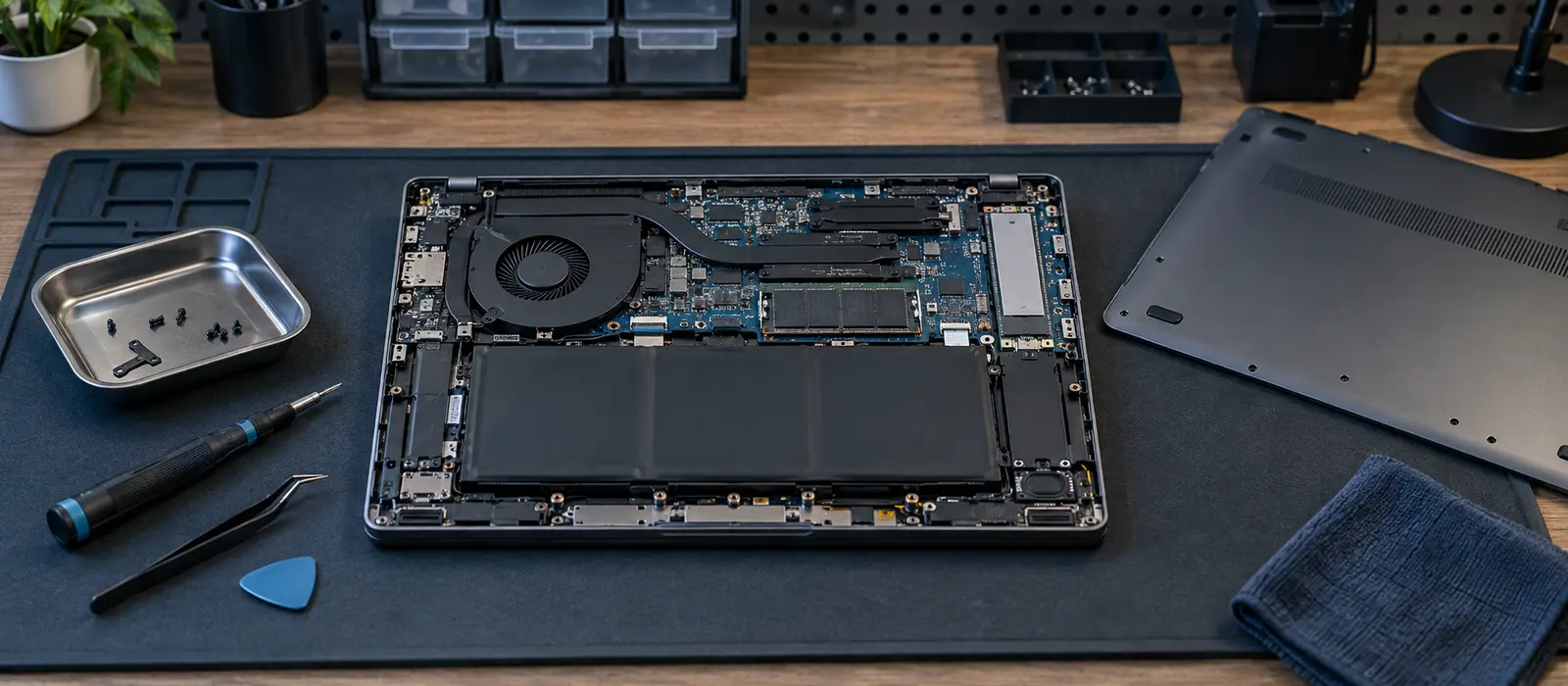
A broken laptop isn’t always destined for the bin. Sometimes repair is the right choice; sometimes starting fresh is better value. Your decision depends on the age of the machine, the cost of repair, what the fault is, your warranty coverage, and UK consumer rights that may entitle you to a replacement.
Common laptop faults and repair costs
The most frequent laptop failures include battery degradation, cracked screens, worn keyboards or trackpads, loose or damaged hinges, failed SSD or hard drives (which may also need data recovery), and charging port problems. Repair costs vary widely depending on the model, the part needed, and whether original manufacturer parts or third-party equivalents are used; some repairs are straightforward one-hour jobs, others require partial disassembly and skilled labour. It’s worth getting a quote before committing, and comparing it against the cost of a replacement machine.
As a rule of thumb, the lower a laptop’s original price, the less sense an expensive single repair makes relative to buying new. Likewise, if the machine is already several years old and accumulating multiple faults, repair becomes a false economy: fix one thing, and something else fails next month.
Your consumer rights under UK law
If your laptop develops a fault within six months of purchase, UK consumer law presumes the fault was there from the start. This shifts the burden to the seller or manufacturer: they must prove the item wasn’t faulty when you bought it, or else repair or replace it at no cost to you. After six months, the burden shifts to you to show the fault was present at the time of purchase or delivery, but your rights don’t simply disappear—claims for goods that are not of satisfactory quality or fit for purpose can generally be brought for up to six years from purchase in England and Wales (five years in Scotland), although the older a product is, the harder it becomes to show a fault is a manufacturing defect rather than ordinary wear and tear.
Under the Consumer Rights Act 2015, goods must be of “satisfactory quality” and “fit for purpose.” If a brand-new laptop stops working a month later, the retailer or manufacturer cannot refuse repair or replacement simply because you’re outside a warranty period. If the device is still under manufacturer warranty, contact the maker’s support line; otherwise, return it to the retailer where you bought it and request repair or refund in writing, keeping a copy.
Manufacturer warranty versus independent repair
Most new laptops come with a manufacturer warranty covering factory defects but excluding accidental damage, liquid damage, or wear; the length varies by manufacturer and model. A warranty covers repair or replacement at no cost. If your machine is within warranty, contact the manufacturer or authorised repair centre and claim under warranty. Out-of-warranty repair costs depend heavily on the fault and the machine’s value, so it is worth obtaining more than one quote.
Independent repair shops can sometimes charge less than manufacturers for the same work. However, some manufacturers use proprietary parts or encryption that makes third-party repair difficult; Apple, for example, uses serialised components that can complicate independent repairs. Before choosing an independent shop, verify that it can source the parts you need and won’t void any remaining support agreements.
Data safety before repair
Before handing your laptop to anyone for repair, back up your data to an external drive or cloud storage. Service providers have a duty of care and typically don’t deliberately access your files, but accidents happen. Removing sensitive data beforehand protects your privacy and ensures you don’t lose anything if the repair process goes wrong or the device isn’t recoverable.
After repair, ensure the device is clean of malware by running a full antivirus scan before restoring your data.
Windows 10 end of support and upgrade costs
Windows 10 reaches end of support on October 14, 2025. After that date, no further security updates arrive, leaving machines vulnerable to known attacks. Many older laptops running Windows 10 cannot upgrade to Windows 11 due to hardware requirements (particularly TPM 2.0, a security chip, and 4 GB of RAM). A machine that was new in 2015–2018 may be locked on Windows 10 indefinitely.
Once Windows 10 support ends, running Windows 10 becomes increasingly risky. For an older, low-value laptop that can’t run Windows 11, replacement with a Windows 11-capable machine is often safer and more cost-effective than trying to squeeze more life out of it.
Upgrading to Windows 11 on a compatible older laptop is free, so this isn’t a cost issue; it’s a hardware-compatibility issue that can’t be solved by spending money.
When to replace rather than repair
Consider replacement if any of these apply: the machine is more than five years old and experiencing multiple faults; a single repair costs a large proportion of the machine’s current second-hand value; the machine cannot run the latest version of Windows or a necessary software package; or the battery (unreplaceable on many modern laptops) no longer holds meaningful charge and replacing it is disproportionately expensive relative to the laptop’s value.
New laptops have improved battery life, faster processors, better security features, and more storage than equivalently priced older models. For someone spending much of their day on a laptop—running a small business, teaching, managing a school, or supporting others—investing in a new machine that works reliably is often wiser than nursing along an ageing device.
Disposal and data destruction
If you decide to replace your laptop, wipe the hard drive completely before recycling or donating it. Use the Windows recovery options (Settings > Recovery > Reset this PC > Remove everything) to securely erase data. For added assurance, remove the drive entirely and destroy it or wipe it using specialist software. Electronics retailers and charity shops often accept old laptops for refurbishment if they’re still functional.
Key points
- Common faults include battery, screen, keyboard, hinge, SSD, and charging port failure; get a repair quote and compare it against the machine’s value before deciding
- Consumer law requires repair or replacement at no cost if a fault appears within six months of purchase; rights continue, with a shifted burden of proof, for up to six years in England and Wales
- Manufacturer warranty covers defects but not accidental damage; independent repair can be cheaper
- Backup data before sending a laptop for repair
- Windows 10 support ended 14 October 2025; older machines may not support Windows 11
- Replace rather than repair if the machine is older than five years, accumulating multiple faults, or a repair costs a large share of its current value
Related: Find IT support near you